Albertsons: Grocery & Deals
- 4.8
- Rating
- 5.00M
- Installs
- Free
- Price

 Analysis by App-foxy
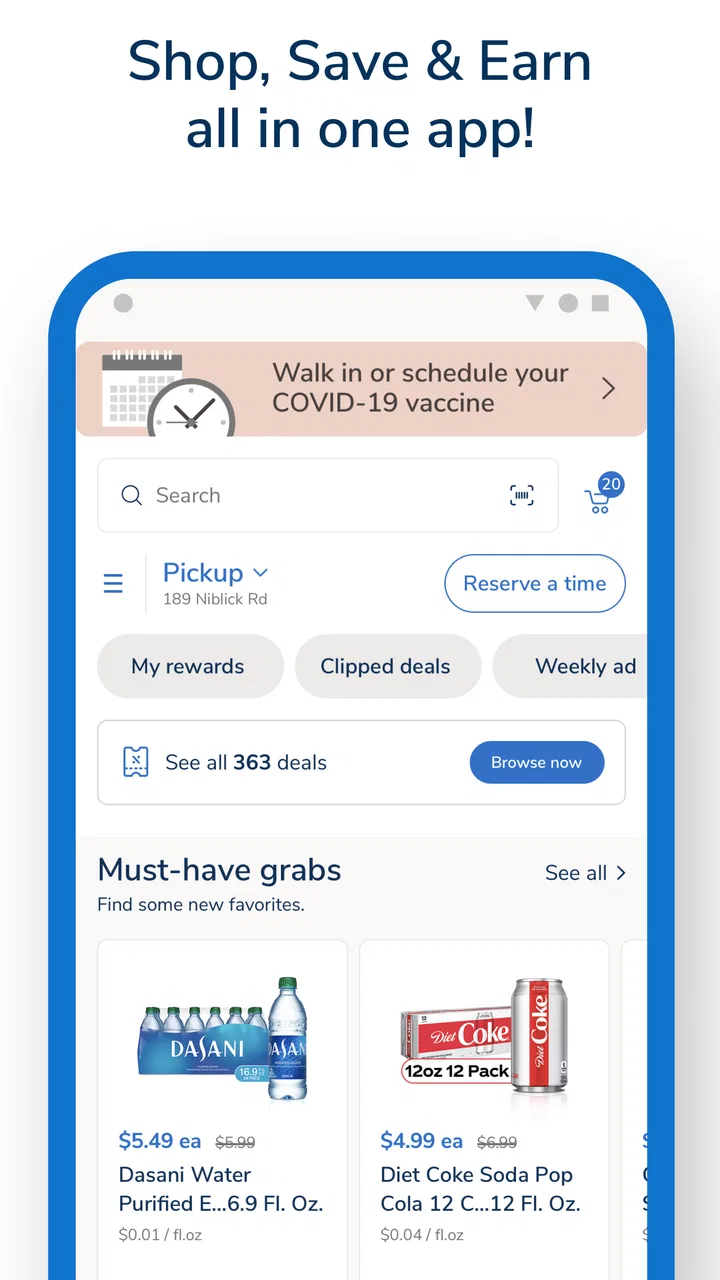
I approached Albertsons: Grocery & Deals as a practical shopping companion rather than another app I would open just to browse. It is a free shopping app from Albertsons Companies, Inc., built around grocery delivery and pickup, weekly deals, coupons, pharmacy services, fuel savings, and rewards. That combination makes it most useful when I already have a real shopping task in mind: planning a weekly basket, checking whether a deal applies, arranging a pickup, or keeping grocery and pharmacy errands in one place.
My first impression is that the app is designed for people who shop at Albertsons regularly, not for someone comparing every supermarket in an area. If your preferred store is Albertsons, the app can reduce several small chores that normally happen separately. I can look for products, review offers, manage a basket, and consider delivery or pickup without switching between unrelated services. The trade-off is equally important: its value depends heavily on whether Albertsons is convenient for you and whether the offers shown in the app match the way you normally shop.
Getting from installation to a useful first shop
Before building a basket, I’d first make sure the app is set up around the store and shopping method I actually plan to use. That small check gives the rest of the process a useful frame: the next section looks at what to expect on the first visit and how to keep setup focused on a real shopping task.
You May Also Like

 Blood Strike: 2.5 Anniversary
Blood Strike’s Loadouts Turn Every Drop Into a Tactical Gamble
A close look at Blood Strike’s custom loadouts: how fast access to signature weapons reshapes its battle royale rhythm, rewards preparation, and narrows the gap between fights.

 Pandora - Music & Podcasts
Pandora’s Music Is Easy to Start, but Harder to Recover
Pandora’s strength is its low-effort path from a seed to a station. Its weak spot is how much confidence it asks you to place in connection, setup, and quiet recovery.

 8 Ball Pool
 Is Built on Rivalries, Rematches, and Routine
A close look at the rivalries, rematches, shared routines, and unanswered safety questions that turn a quick pool match into a persistent mobile community.

 Samsung Music
’s Quiet Strength Is Playing What You Already Own
Its reach comes less from spectacle than from dependable access to a personal library. That simplicity is both the app’s strongest retention engine and its ceiling.

 AccuWeather: Weather Radar
AccuWeather Review: A Quick, Clear Forecast for Everyday Decisions
For everyday plans, the best forecast is the one you can understand quickly. AccuWeather makes rain timing, radar, and local conditions easy to act on, with a few trade-offs.

 Hill Climb Racing
Why Hill Climb Racing Still Turns Crashes Into One More Run
A tiny car, a bumpy hill and one more upgrade: Hill Climb Racing keeps resurfacing because its simple chaos makes every near-miss feel personal.
More From Our News Desk
View All News


What to expect before you start
The app has been available since October 2016 and is rated 4.8 on average from around 197 thousand ratings, with more than 23 thousand written reviews. It has passed 5 million installs, so this is an established shopping tool rather than a brand-new experiment. It is free to install, carries a Mature 17+ content rating, and the current version is 2026.27.0. Devices need Android 8.0 or later.
Those figures tell me that the app has had time to become part of many shoppers’ routines, but they should not replace a practical test of your local experience. Grocery availability, pickup windows, delivery coverage, pharmacy access, and fuel-related benefits can all matter more to you than a general rating. I would judge it by how well it handles your nearest Albertsons location and your usual basket.
The opening experience makes more sense if I decide what I want to accomplish before tapping around. For a first visit, I recommend choosing one clear goal: build a small grocery order, find a weekly offer for something already on your list, or inspect the rewards and fuel section. Trying to understand every department at once can make a useful app feel busier than it needs to be.
Setting up the account without wasting time
I would begin by selecting the Albertsons store that I actually use, then check the shopping mode available for that location. The important distinction is not simply whether a product appears in search. It is whether that product can be handled through the option I want, such as pickup or delivery. A product that looks available may still require a different fulfillment choice, so I treat the selected store and shopping method as part of the setup rather than as minor preferences.
Next, I would sign in and make sure the account is connected to the rewards experience before building a large basket. This is one of the most useful habits with a supermarket app: establish the account first, then shop. It gives coupons and eligible offers a better chance of being associated with the order, and it avoids the unpleasant discovery that a carefully planned basket was created while I was browsing in the wrong store context.
I also recommend allowing yourself a few minutes to understand the navigation. The app combines everyday groceries with pharmacy, fuel, weekly deals, and rewards. That breadth is convenient, but it means the most valuable section for one errand may not be the same section you need next time. I would not assume that the first screen represents the whole experience; I would deliberately visit the deals and rewards areas before checking out.
For a first test, I would avoid starting with a large family shop or a time-sensitive order. A modest basket is better because it lets me learn how substitutions, availability, offer application, and pickup or delivery choices appear in the flow. Once that smaller order feels predictable, the app becomes much easier to trust for a bigger weekly routine.
The easiest route to a first successful action
My recommended first success is a small planned basket built from a list I already have. I would search for familiar items instead of browsing every aisle, add only what I genuinely need, and then open the relevant deal or coupon area before reviewing the order. This approach tests the parts that matter most in everyday use: search, product selection, offer discovery, and the final fulfillment choice.
Weekly deals are more useful when I treat them as a filter for an existing plan rather than a reason to buy random products. I might begin with breakfast items, household basics, or ingredients for a few meals, then check whether any current offer changes the best choice. That prevents the classic supermarket-app mistake of filling a basket with discounted products that were never needed.
A second useful workflow is to separate “must have” items from “nice if available” items while I shop. I keep the essentials in the main basket and use the deals area to look for flexible additions. If something is unavailable or the offer does not apply as expected, I can remove the optional item without disrupting the whole order. This is especially helpful when I am arranging pickup and do not want to spend extra time rebuilding the basket at the last moment.
Before submitting, I would read the order summary slowly rather than assuming every saving is already reflected. Check the selected store, the fulfillment method, the quantities, and the way discounts are displayed. I would also look at any substitution choices offered during the process. Grocery shopping is different from buying a fixed product online: an item can change, disappear, or be handled differently depending on local stock.
The first successful action does not have to be a full grocery order. If I only want to evaluate the app, finding a relevant weekly deal and confirming that it belongs to my chosen store is a meaningful test. If I need medicine-related services, exploring the pharmacy section may be more useful than building a grocery basket. The right first step depends on the errand, but the principle is the same: test one complete path instead of judging the app from its home screen.
Where the app saves real effort
The strongest part of this app is the way several Albertsons-related tasks sit beside one another. I can think about groceries, rewards, fuel savings, and pharmacy needs in one account context instead of keeping separate notes. For a household that already uses the chain, this can make routine planning less fragmented. I especially appreciate the possibility of checking offers while I am making a real list, because the discount information is connected to the shopping decision rather than buried in a paper circular.
Pickup can be a good middle ground for people who want to plan online but do not want a delivery handoff. It lets me prepare the basket when I have time and then collect it as part of an existing trip. Delivery is more attractive when avoiding the store is the priority. I would choose between them based on schedule and local convenience, not assume that one is automatically better.
The pharmacy portion may also make the app worthwhile for an Albertsons customer who wants fewer separate tools. I would still approach pharmacy tasks carefully and read each screen, because a grocery order and a pharmacy-related request are not the same kind of transaction. The app brings them together, but I would not rush through the latter simply because the interface is familiar.
Confusing moments and how I handle them
The most likely source of confusion is the difference between seeing a deal and successfully using a deal. A weekly offer may be visible while the product, store, account, quantity, or fulfillment method affects whether it applies to my order. My practical rule is to open the offer, inspect its conditions, and verify the basket total before I rely on the saving. I never plan a budget around a discount I have not seen reflected in the order review.
Another point of friction is the separation between ordinary product search and promotional discovery. Searching for “coffee,” for example, may show products, while the best deal may live in a dedicated deals area. I therefore use both routes: search when I know the item, and the deals section when I want to compare current promotions. Treating one as a replacement for the other can make the catalog feel incomplete.
Stock is another reason to keep expectations realistic. The app can help me prepare a basket, but grocery fulfillment remains tied to a particular store and the items available there. I prefer to review important items shortly before finalizing the order, especially when I am shopping for a recipe with no easy substitute. For flexible items, I am more comfortable accepting a replacement or choosing an alternative; for specific dietary products, I would be more cautious.
I also avoid assuming that a reward, coupon, or fuel benefit works exactly like a price reduction shown beside a product. The app brings these programs together, but the way each benefit is presented can differ. I read the wording in the offer or rewards section and keep the receipt or order summary available until I am satisfied that the result matches my plan.
Navigation can feel crowded if I only want one thing. Grocery shopping, pharmacy, fuel, and rewards are all relevant categories, yet they compete for attention. My solution is to use the app with a short checklist: select the store, choose the shopping mode, search the essentials, review deals, then inspect the order. That sequence keeps the extra sections useful without letting them derail the errand.
Everyday scenario: a rushed weeknight shop
Imagine I finish work late and need ingredients for two dinners, breakfast basics, and a household item. I would open the app, confirm my Albertsons location, and search for the essential products first. Once the core basket is complete, I would visit the weekly deals and coupons to see whether a comparable product offers better value. I would not replace a needed item merely because it is promoted, but I might switch brands when the difference is sensible.
Then I would choose pickup if I am already passing the store, or delivery if the extra trip is the problem I am trying to solve. I would review substitutions for the dinner ingredients more carefully than for paper goods. Finally, I would check the total and the selected offers before placing the order. This workflow uses the app as a planning tool, not as a digital version of wandering every aisle.
For a larger household, I would repeat the same process in stages. Start with recurring essentials, then add flexible items, then review promotions. That order reduces impulse buying and makes it easier to spot an accidentally duplicated item. It also gives me a clean point at which to pause if the basket becomes too expensive or a key product is unavailable.
Who should use it, and who may prefer something else
I think this app is a strong fit for regular Albertsons shoppers who want grocery pickup or delivery alongside deals and rewards. It is also useful for households that can benefit from keeping pharmacy and fuel-related tasks close to the grocery routine. People who enjoy planning before entering a store will likely get more from it than shoppers who prefer to make every decision in the aisle.
I would be less enthusiastic for someone who lives far from an Albertsons location, shops at several unrelated supermarkets, or wants a single service that compares inventory and prices across many chains. In that situation, a broader grocery marketplace or the individual apps for several preferred stores may be more practical. This app is focused, and that focus is both its advantage and its limitation.
It may also be the wrong choice for a shopper who dislikes checking offer conditions or who expects every promotion to apply automatically. The app can make savings easier to find, but I still need to pay attention. Likewise, anyone needing an exact product with no acceptable replacement should treat online grocery ordering as a convenience with a verification step, not as a guarantee that the shelf will match the screen.
My next-step routine after the first order
After the first successful shop, I would save the habits that worked rather than trying to master every feature. I would keep a short recurring list, check weekly deals before adding optional products, and review rewards before checkout. For fuel savings, I would look at the rewards section when planning a broader shopping trip instead of waiting until I am already at the pump.
I would also compare the app’s total convenience with my normal alternative. If pickup saves a store visit and the available deals suit my regular basket, it earns a permanent place on my phone. If delivery fees, limited availability, substitutions, or a poor local selection make the process more troublesome than shopping elsewhere, I would use the app selectively rather than forcing it into every errand.
The current release, 2026.27.0, supports the app’s ongoing role as Albertsons’ digital shopping hub, but my recommendation remains based on fit rather than version chasing. I would keep the app updated through the usual store process, especially if I depend on it for time-sensitive ordering or rewards. The important measure is whether the complete path from list to fulfillment remains clear on my device.
Overall, I see Albertsons: Grocery & Deals as a focused tool that rewards a little preparation. It is not the best answer for comparing every supermarket, and it does not remove the need to check store selection, offer details, and substitutions. But for an Albertsons customer, it brings several useful errands into one place and can turn a rushed grocery trip into a more deliberate plan. My advice is to begin with a small basket, verify one deal, and complete one pickup or delivery workflow before relying on it for the whole household shop.
FAQs for Albertsons: Grocery & Deals
01What is Albertsons: Grocery & Deals, and what can I do with the app?
Albertsons: Grocery & Deals is the official shopping app for finding products, planning grocery trips, and saving money at participating Albertsons stores. You can browse departments, search for items, view weekly deals, add digital coupons to your account, create a shopping list, and place an order for pickup or delivery where those services are available. Features may vary by location and store.
02Do I need an Albertsons account to use the app?
You can usually browse products, store information, and some promotions without signing in, but an Albertsons account is needed for many useful features. Signing in allows you to connect your loyalty membership, clip digital coupons, view personalized offers, save shopping lists, and manage pickup or delivery orders. Make sure your selected store and loyalty details are correct before checking out.
03How do digital coupons and Albertsons deals work?
The app lets you browse available digital coupons, weekly advertisements, and personalized savings, then add eligible offers to your loyalty account. At checkout, qualifying discounts are generally applied when you identify your account using the linked phone number, loyalty information, or in-app checkout process. Always read each coupon’s terms, including product restrictions, expiration dates, quantity limits, and participating-store requirements.
04Can I order groceries for pickup or delivery through the app?
In supported areas, the app allows you to choose groceries, select a pickup time or delivery window, and review your order before payment. Availability, service fees, minimum order requirements, delivery charges, substitutions, and time slots can differ by store and address. Before placing an order, check the final total carefully and review substitution preferences because selected items may be unavailable.
05Is Albertsons: Grocery & Deals free to download and use?
The app is generally free to download and use, and there is typically no separate charge simply for browsing products, viewing deals, or managing digital coupons. However, purchases made through the app still cost money, while pickup or delivery orders may include applicable fees, taxes, service charges, or price differences. Your device also needs an internet connection, and standard mobile data charges may apply.
Pros
- Convenient curbside pickup and delivery options save time on routine shopping.
- Digital coupons and personalized deals can reduce the final grocery bill.
- Loyalty rewards are easy to track and apply through the app.
- Shopping lists help organize items before visiting the store.
- Pharmacy features make prescription management more convenient.
Cons
- Deals and coupons may vary by store
- location
- or membership status.
- Some discounts require careful coupon clipping before checkout.
- Delivery fees and service charges can increase the order total.
- Product availability may differ from what the app displays.
- The app may request location and account permissions for full functionality.

Albertsons: Grocery & Deals
Gallery